Installing random games is not safe.
I did not want to hand my children a tablet full of games I had not chosen. In Familio, the only games are the ones in the repository.
Open source · Self-hosted · Made at home by a parent
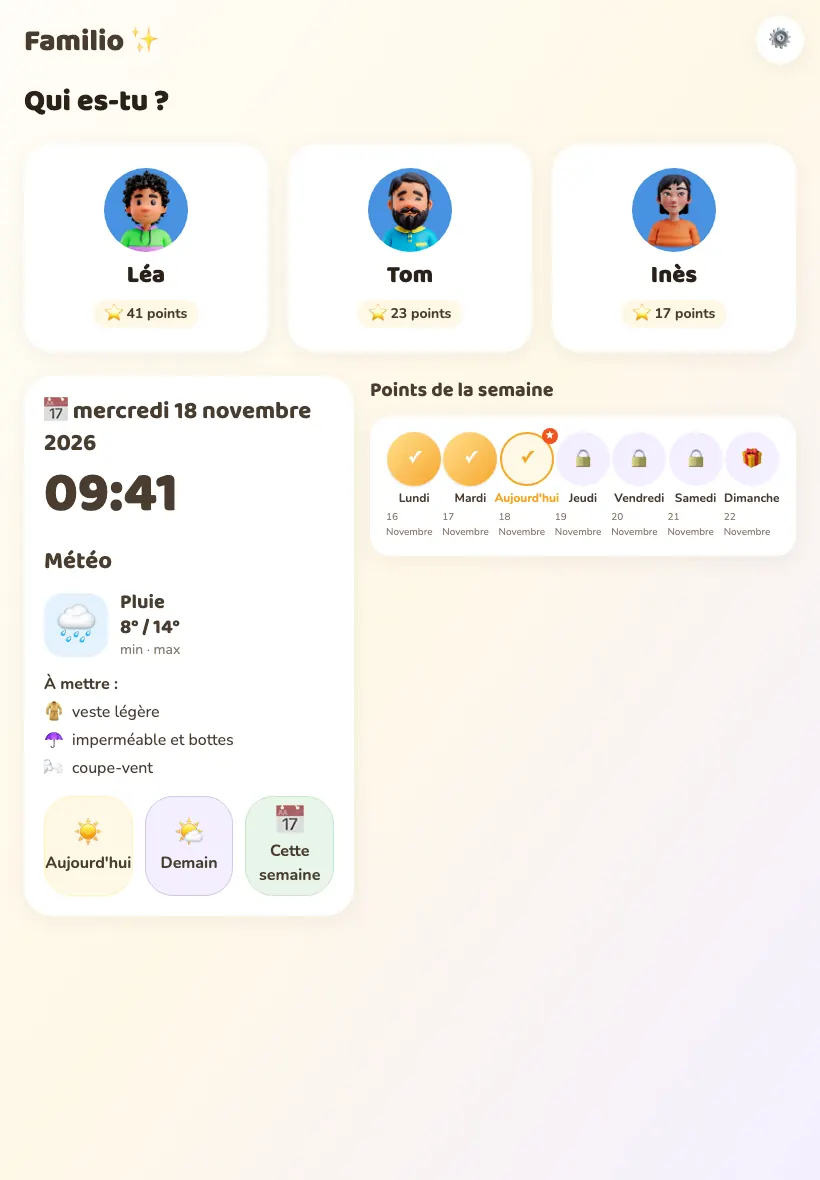
Familio is an open-source web app for the family tablet. Children check off their daily tasks, earn points that become their allowance, keep a wish list and play learning games. You host it yourself, in one Docker container.
I am a parent and a software engineer. I built Familio for my own children, on our own server, because I could not find a space for them that I trusted.
I am not selling you anything. There is nothing to buy, no ads, no account to create, and your family's data never comes to me. It is one parent sharing what works at home with other parents.
I did not want to hand my children a tablet full of games I had not chosen. In Familio, the only games are the ones in the repository.
Creating one for a small child made no sense to me. Familio has one family code and one parent PIN. Children have no account, no email and no password.
Everything Familio stores is in one SQLite file and one uploads folder, on the machine you choose. Two calls go outside: the weather forecast (Open-Meteo) and the fonts (Google Fonts).
Tasks, points, the allowance rate, the games: we change them when we need to. The code is open, so you can do the same for yours.
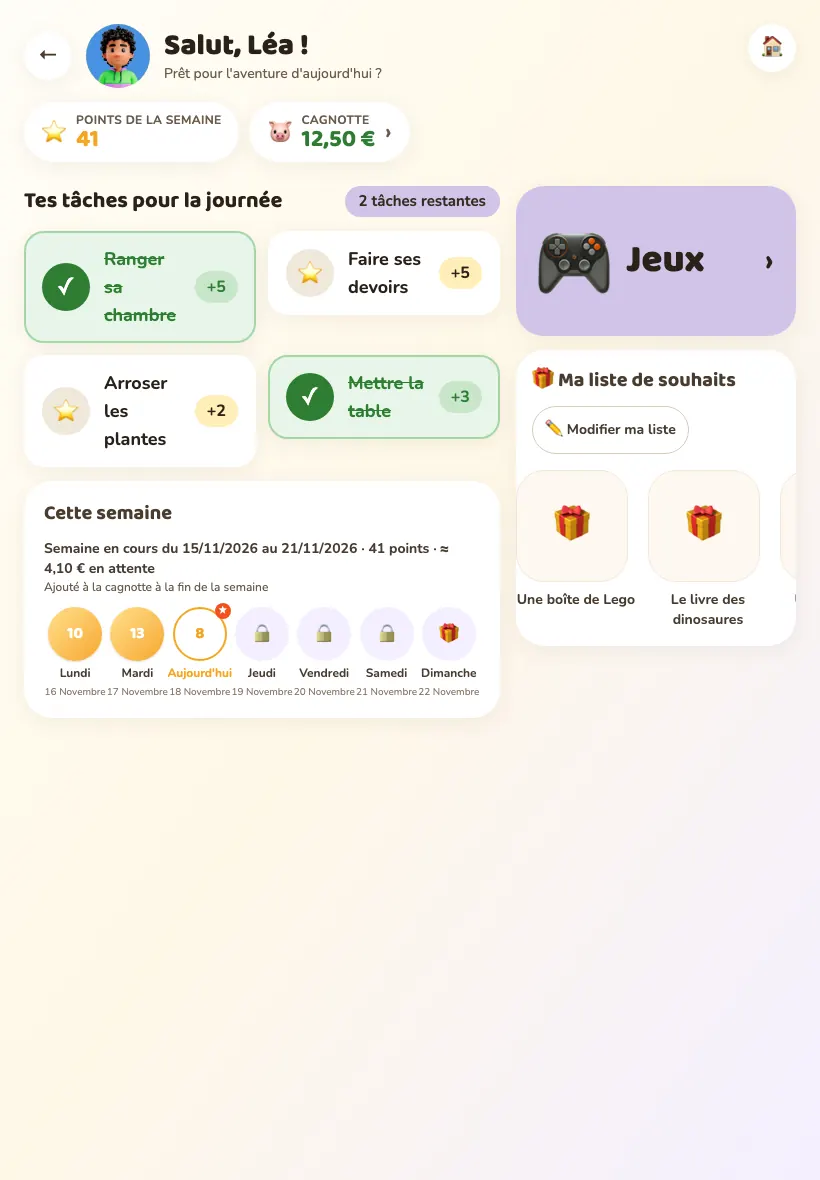
A child taps a task when it is done. Points add up over the week.
A parent closes the week and the points become euros in the child's piggy bank, with a history of every entry.
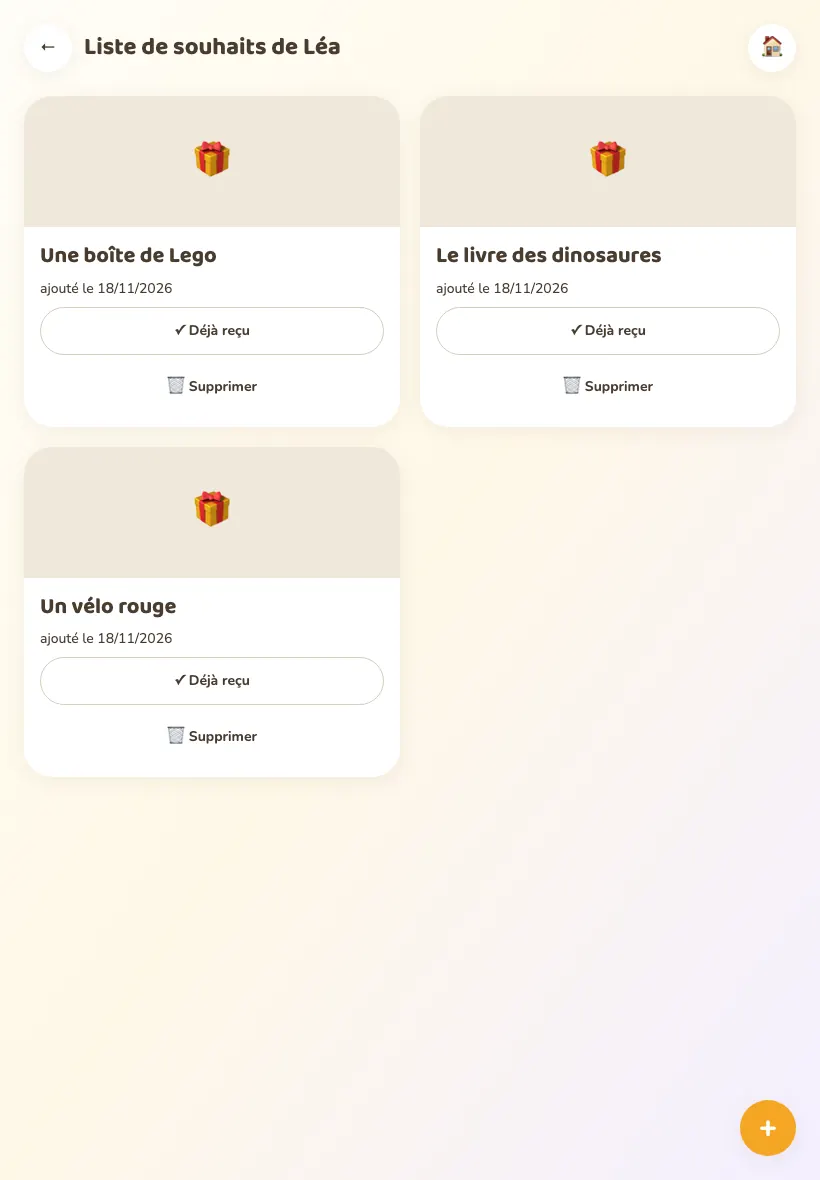
Each child keeps a gift list. Relatives open a shared link and reserve a gift, without an account.
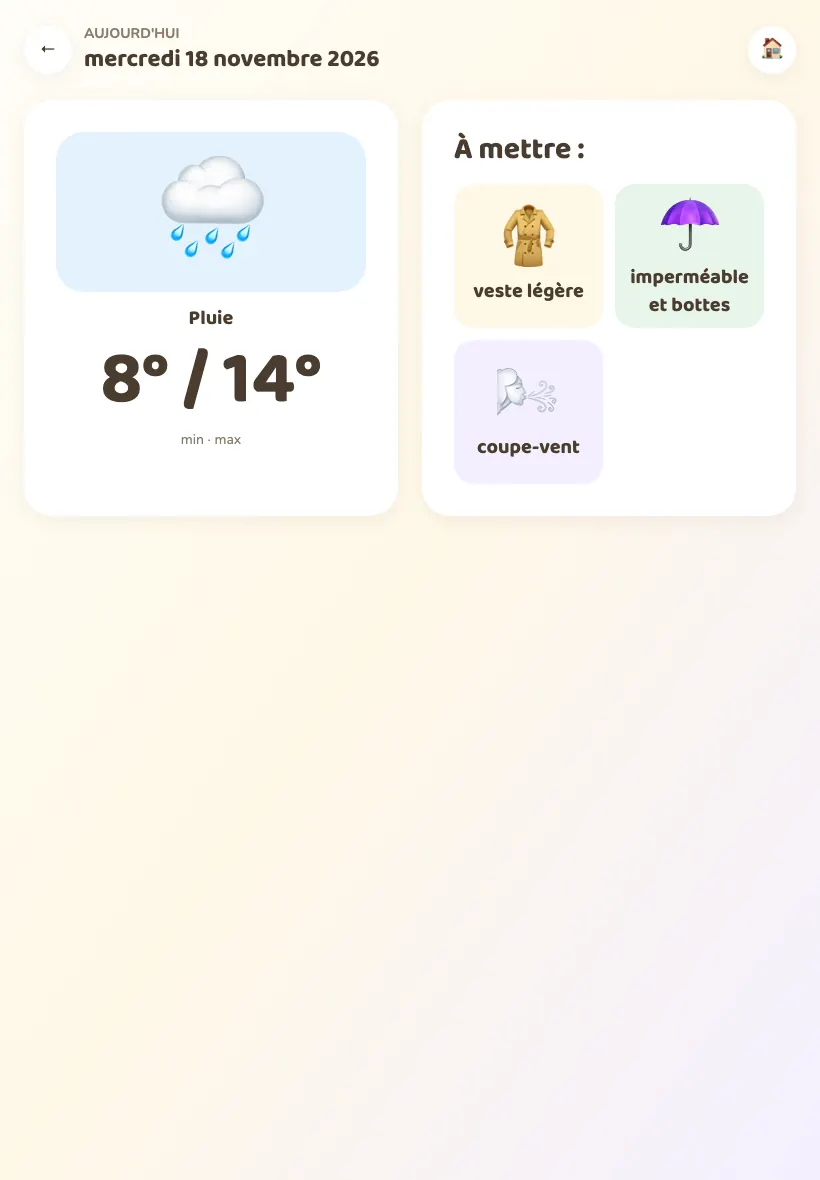
Today's weather, what to wear, and the week ahead.
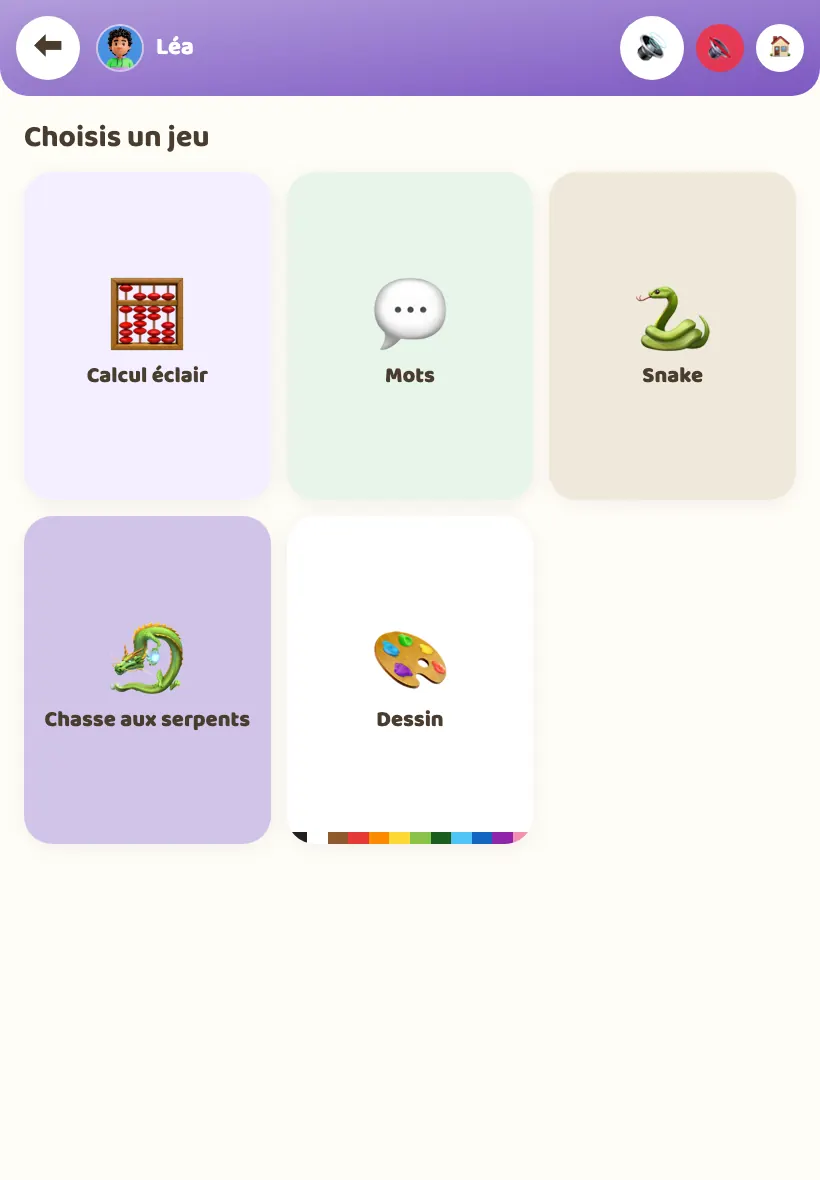
Calcul éclair (mental math by level), Mots (English and Spanish words, read aloud by the tablet), Snake, Chasse aux serpents and Dessin (drawing).
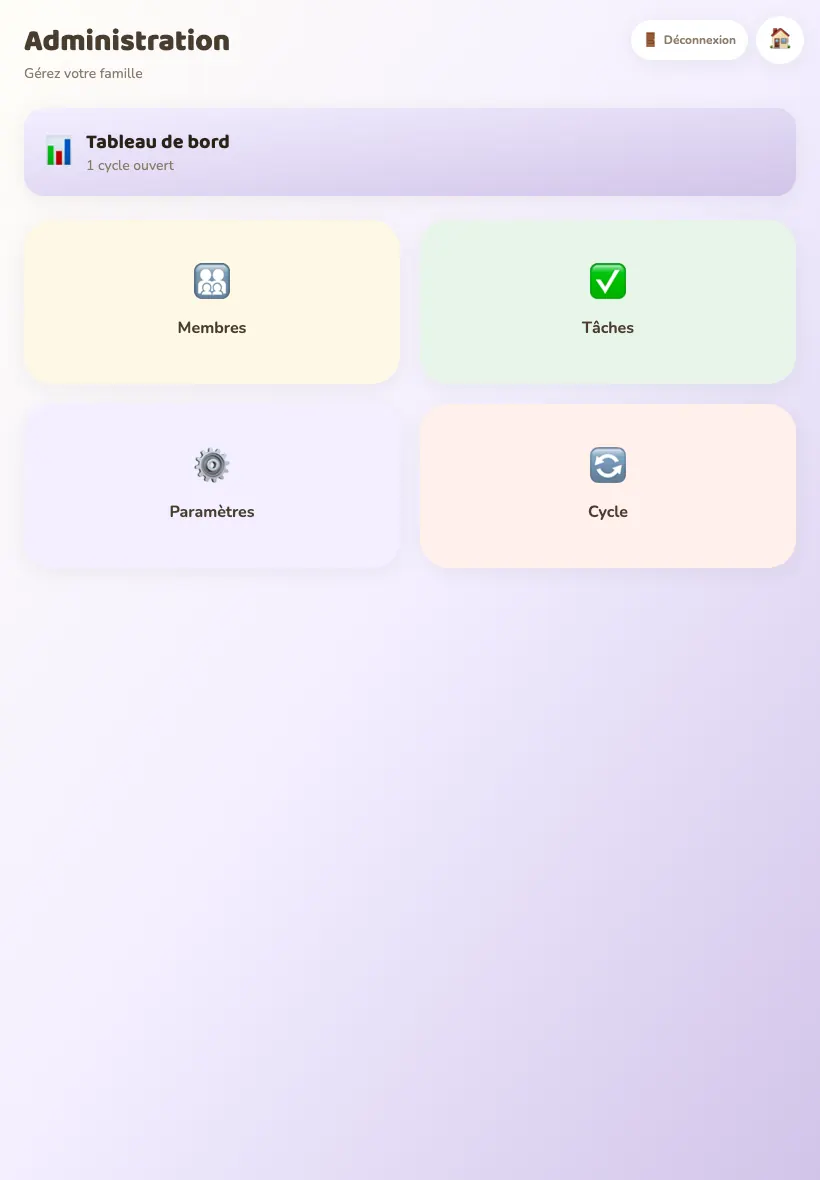
Behind a PIN: members, tasks, weekly cycles, and what each child played.
It installs on the tablet's home screen like an app. The interface is in French today.
Planned, not built yet.
Is there a game your children would love, or something your family is missing? Tell me about it. The next features of Familio will grow from ideas like yours, and I would love to build them with you.
Familio is for self-hosting only. There is no hosted service and no sign-up. You need a machine that runs Docker with the Compose plugin: a small VM, a home server or a NAS.
git clone https://github.com/rebecamurillo/my-family-app.git familio
cd familio
cp template.env .env FAMILY_CODE, the code everyone in the family types to log in. AUTH_CODE, the parent PIN (change the default 1234). SESSION_SECRET, a long random string:
openssl rand -hex 32 docker compose up -d --build It listens on port 3000. The database and the photos live in two Docker volumes, so updates never touch them.
The login only holds over HTTPS. A reverse proxy such as Caddy, or Tailscale on the server and the tablet, does it in one line. The README shows both.
The README has the rest: first steps in the app, updates, backups, every setting, and a section an AI agent can follow to install it for you.
demo.familio.rebecamurillo.com
A shared demo family. Do not enter real names or photos.